Running Scenarios
A Scenario is the editable model configuration you build your inputs into: terrain, boundaries, an inflow or a rainfall, any optional layers, and run settings such as duration and base mesh size. When you are ready to simulate, Hydrata builds the Scenario into a scenario package and starts a Run, a single compute attempt at that built Scenario, on cloud compute.
Scenarios live in the Hydraulics tab of the project panel, in the scenario rail down the side.
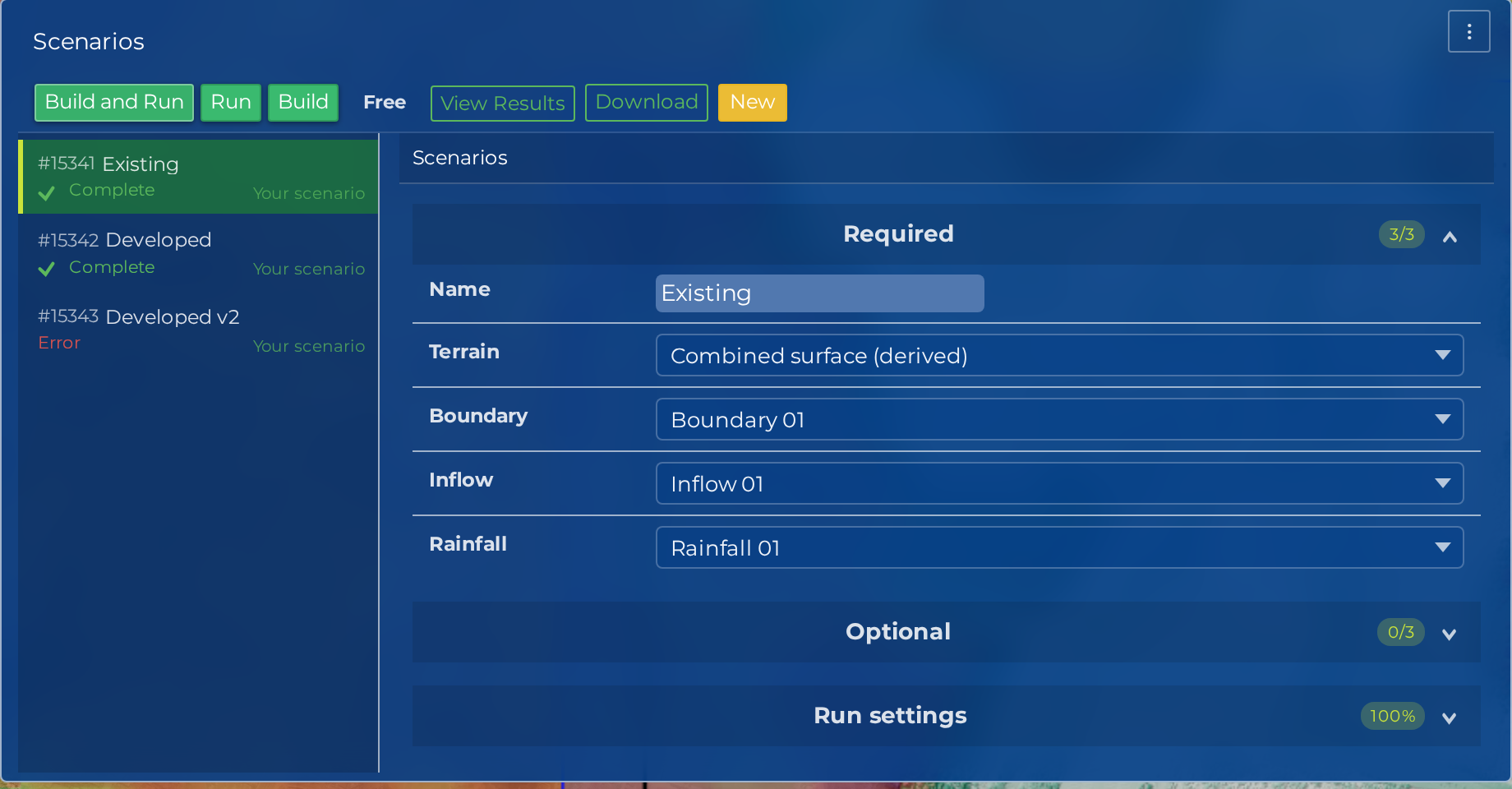
In this section
- Configuring Runs: set the run settings, then build and run the Scenario.
- Selecting Inputs: choose which terrain, boundary, inflow and optional inputs each Scenario references.
New Scenario and Duplicate
New Scenario adds an empty scenario and moves the selection onto it, so the settings pane you are looking at is the scenario you just created. You do not have to find it in the rail first.
Duplicate copies the selected scenario together with every input it references: terrain, boundary, friction, inflow, rainfall, structures and mesh regions, plus the per-scenario near-spacing and raised-height overrides. The copy takes a new name and starts with no run history, because a duplicate is a genuinely new scenario rather than a second attempt at the old one.
Duplicate is the supported way to test a variant. Copy the scenario, change the one thing you are testing, and run the copy, so the original stays exactly as it was when you ran it.
Archive and Restore
A project accumulates scenarios: the sensitivity sweep, the abandoned parameter guess, the version you superseded last week. Archive gets one out of the way without destroying it, and Restore brings it back. Both ask for confirmation first.
The scenario rail groups scenarios by category and marks the archived ones, so an archived scenario is out of your way but still findable, with its runs and results intact.
Archiving is the right move for a scenario you have finished with, because it is reversible. Deleting is not: a deleted scenario cannot be recovered.
Note
Neither Archive nor Delete is allowed while a Run is in progress. Cancel the Run first, then archive.
An archived scenario still counts as a reference to its inputs, so archiving a scenario does not release the terrain or inflow it points at. To delete an input, detach it from the scenarios that reference it, or delete those scenarios. See Removing an input.
Your edits save as you make them
The settings pane saves each field as you change it, and a successful save is quiet: no toast, no confirmation, nothing to click. There is no Save button to forget.
If a save fails you are told, because a silently dropped edit is the one thing a quiet save must never do. A scenario that has not yet saved is marked as unsaved in the rail.
Building and running
Three buttons sit on the scenario, and they do different amounts of work:
| Button | What it does |
|---|---|
| Build | Generates the mesh and the scenario package only. Nothing is dispatched to compute. |
| Run | Runs the package that is already built, without rebuilding it. |
| Build and Run | Builds the mesh and package, then dispatches the run as soon as the build lands. |
Build and Run is the one-click path from a saved scenario to a finished result, and it is the usual choice. Build on its own is useful when you want to check the built triangle count before committing to compute. Run on its own re-runs a package you have already built, which is what you want after a Run failed for a reason outside the model itself.
A Run in progress can be cancelled from the scenario.
Note
The per-run price appears on the scenario once a build exists, because the quote is computed from the built mesh. Build and Run dispatches the run on the transition into built, so that path does not pause on the price. Build first if you want to see the quote before the run starts. Your free allowance and balance are on the Billing tab of the Account panel, and the Plans page carries the current numbers.
What happens during a Run
The scenario shows its state as a status pill:
- Created: the scenario exists but has not been built
- Building: Hydrata is assembling your inputs into a scenario package
- Built: the package is ready to run
- Queued: the Run is waiting for cloud compute
- Computing: the ANUGA simulation is executing
- Processing results: simulation outputs are being converted into map layers
- Complete: results are ready to view
Two states sit off that path. Error means the build or the Run failed, and Cancelled means someone stopped it. After an Error, fix the underlying problem and build again; the Troubleshooting guide covers the common causes.
A scenario also carries a notices panel, which collects the warnings and hints raised while you were setting it up, so an advisory you clicked past is still there when you come back to it.
Note
A Run never changes your Scenario. To test a different configuration, edit the Scenario or duplicate it, and run again.
After the Run completes
See the Results section to view depth, velocity and stage layers on the map, to play the run back over time, or to export the results for use in GIS software.